Multi-tenancy by construction, Part 7: There is no super-admin
Support staff need to see what customers see. A global bypass role is the wrong way to do it. Time-boxed, audited impersonation grants instead, and what that means for kubectl, logs and database access.
Every SaaS team eventually gives support staff a way to see a customer’s account. The usual answer is a
super_admin flag that skips tenant checks. It’s simple, it works, and it’s the single most attractive target in
your system. It has no reason attached, no time limit, no scope, and the customer never knows it was used.
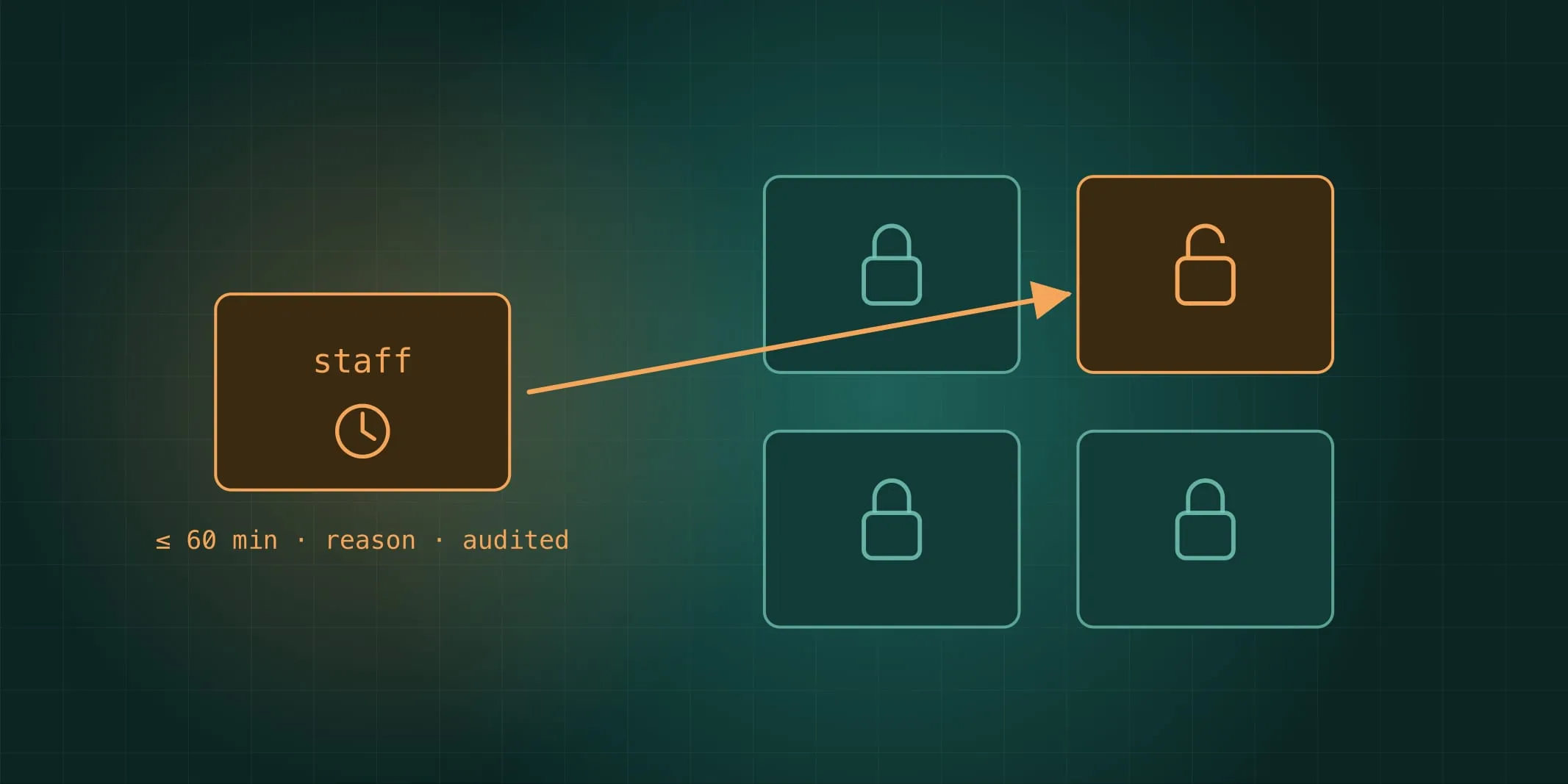
Staff access is a grant, not a role
Staff sign in through a separate identity realm with MFA required. Being staff grants rights over the control plane: creating tenants, suspending them, managing plans. It grants nothing over tenant data.
To see tenant data, a staff member requests an impersonation grant:
- a reason and a ticket reference;
- a scope,
read_onlyorfull; - a time limit, at most 60 minutes;
- approval, according to the tenant’s own support-access policy. Some tenants let read-only grants auto-approve; regulated ones can require an owner to approve each one, or deny impersonation outright.
While the grant is active, requests carry it alongside the staff member’s own token. The data plane treats the request as the impersonated tenant and user, with the impersonator recorded on every log line, trace, audit record and database transaction. The customer can see every grant in their own audit timeline: who, when, why, for how long.
A revoked grant stops working within the cache window, which is seconds. A read_only grant that attempts a write
gets FORBIDDEN, and the attempt is audited too.
The paths around the product
That covers the product’s APIs. It doesn’t cover the ways engineers reach data without going through them, and if you tell customers “staff only see your data through grants”, you’d better mean it:
Logs and traces. Anyone with Grafana access can read whatever services log. So services log an allow-list of structured fields (ids, codes, counts, durations) and nothing else. No request bodies, no query parameters, no free text. A lint rule rejects logger calls with anything outside the list, and the collector runs a redaction processor as a second layer, with a metric for every redaction so leaks show up.
kubectl. On real clusters, people sign in to the Kubernetes API through the staff realm, and the default role
is read-only with no Secrets, no exec and no port-forward. A separate break-glass group has full rights, with
a short-lived membership and a reason. The audit policy records exec, port-forward and Secret reads in
data-bearing namespaces at full detail, and any such action pages and writes a platform audit record that’s
reviewed the next working day.
Database credentials. Nobody has a standing database password. Superuser access on the Postgres operator is disabled. Break-glass access is a one-hour credential from OpenBao’s database secrets engine, issued with a reason and recorded in the audit. When the affected tenant is known, it appears in that tenant’s support-access log as well.
Backups and restores. Restore credentials are escrowed and need two people. The nightly automated restore runs in a namespace no human can access, with pods that can’t be exec’d into, and the namespace is deleted after the run.
Why bother for a small team
Because this is cheap now and expensive later. The grant model is a table, a header and a middleware. The cluster controls are an OIDC config, two RBAC roles and an audit policy. Together they make a claim you can put in front of an enterprise security questionnaire, or a SOC 2 auditor, and have it be true.
And they change the shape of an incident. If a staff account is phished, the attacker has control-plane rights and no tenant data. If someone does reach past the controls, it pages, and there’s a record.